Chapter 5
Live Operations & Game Night Execution
Commercial venue mode connects a private Gamemaster Console with a player-facing display. The session id links both screens to the same generated plan.
Connect the Screens
- Gamemaster Live Console: open
/gm/{sessionId}on a crew laptop or tablet. - Room Player Display: open
/room/{sessionId}/player-displayon the projector, TV, or wall-mounted tablet. - Wait for the player display connection indicator before starting the timer.
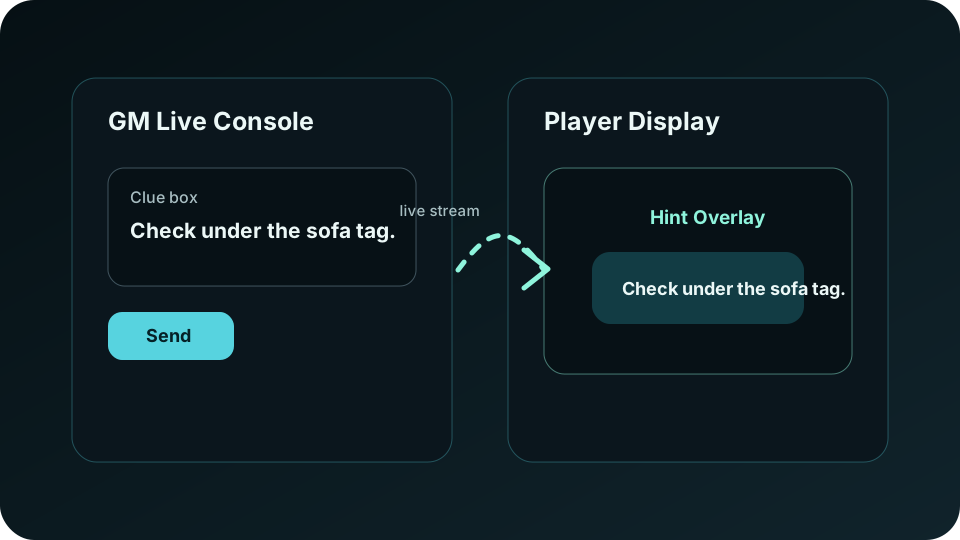
Send Real-Time Clues
- Use the custom clue field for ad hoc nudges.
- Use saved hint chips from the plan when the team needs the intended progression clue.
- Keep clues concise because they appear on the player display during active play.
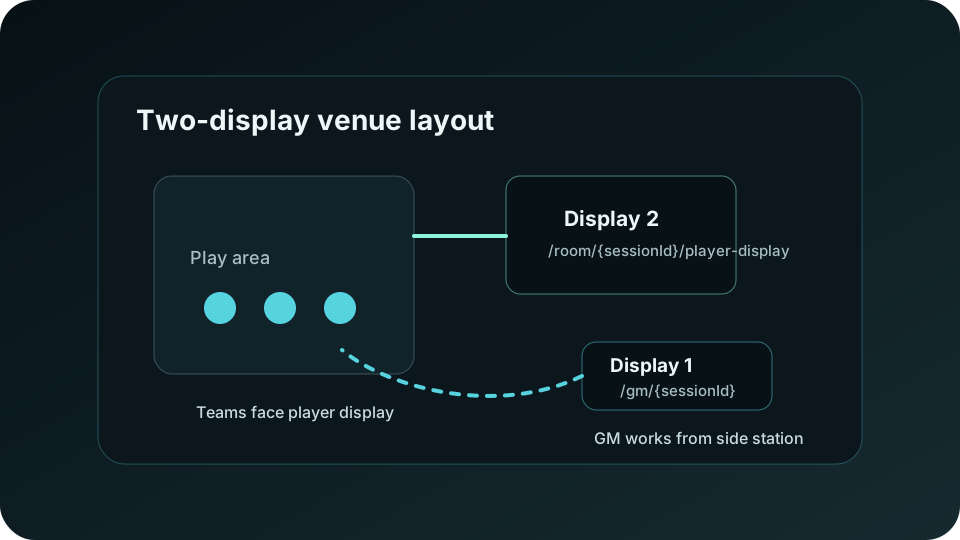
Physical Venue Layout
Place the GM station where staff can see the floor without exposing controls to players. Label display cables, confirm network stability, and keep the export packet open for reset checklists, clue triggers, and failure recovery notes.